How screen time before bed *actually* affects your rest

Clinically reviewed by Dr. Chris Mosunic, PhD, RD, CDCES, MBA
There’s a lot said about the way screentime before bed can disrupt sleep. Learn what the science really says about light exposure, and 7 ways to scroll more mindfully at night.
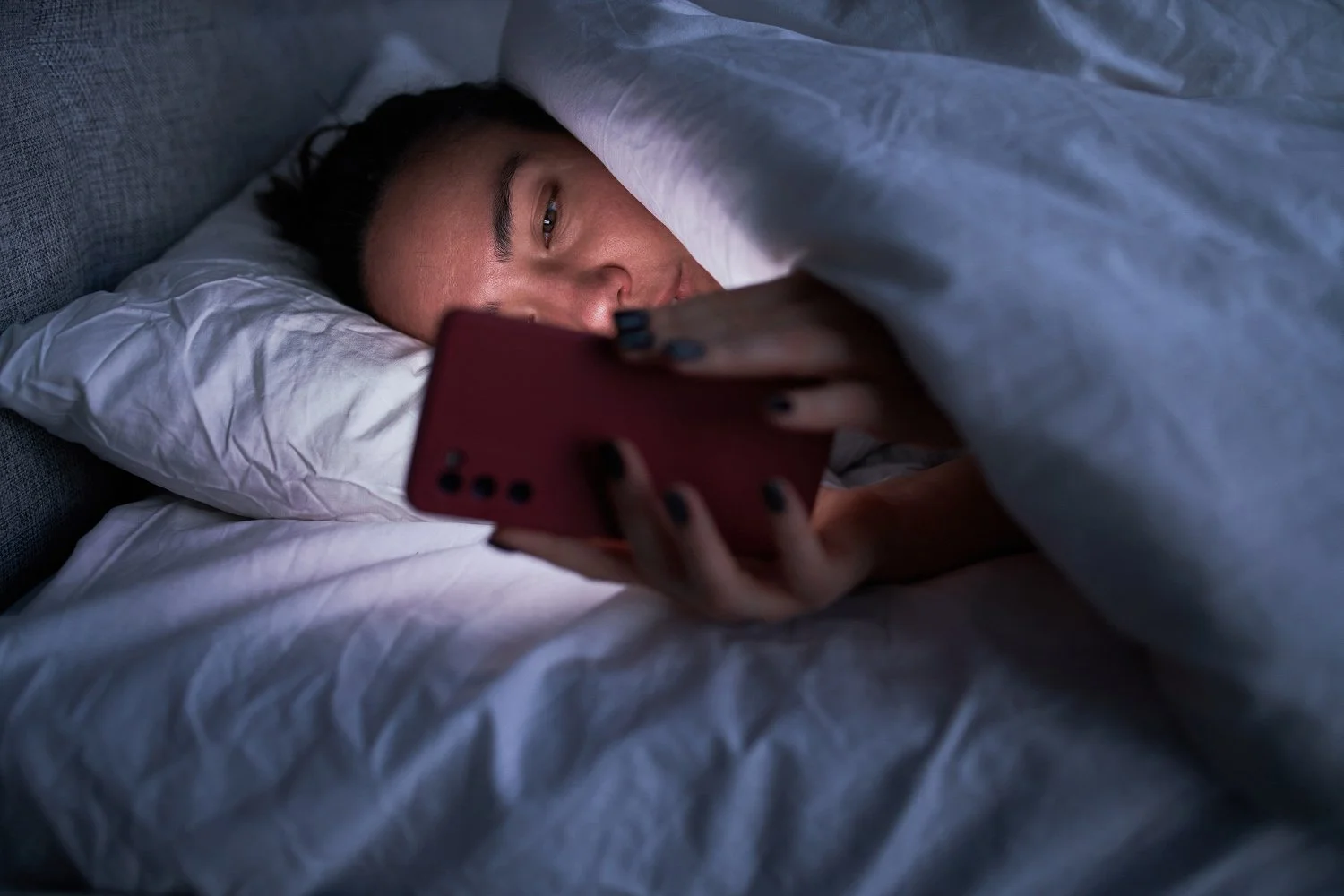
When you finally get a moment to yourself at the end of the day, it’s tempting to spend it scrolling or catching up on your favorite shows. But somewhere between the fourth reel and the credits, that familiar guilt creeps in — am I ruining my sleep by being on my phone right now?
For years, we’ve been told that screen time before bed is the ultimate sleep destroyer, mostly because of blue light. But emerging research paints a more nuanced picture. It turns out, it’s likely not blue light itself that’s the main culprit, but the overall brightness, timing, and the kind of content you engage with. In some cases, gentle screen use might even support rest by helping the mind transition from busy to calm. But how much is too much?
Let’s explore what science now says about screen time before bed, what actually affects your sleep, what doesn’t, and how to use screens in ways that help you unwind instead of disrupting your rest.

What actually happens when we use screens before bed?
When you use a screen at night, the light it emits can signal your brain that it’s still time to stay awake, but it’s not a one-size-fits-all experience. That exposure can delay the release of melatonin—the hormone that helps you feel sleepy—especially when the screen is bright or close to your eyes. The closer and more intense the light, the more alert your brain stays. But light isn’t the only factor.
The type of content you engage with matters too. Fast-paced shows, gaming, or late-night emails can keep your mind active, while slow, predictable, or familiar content helps your body ease into rest. The combination of light exposure and mental stimulation shapes how easily you fall asleep, not the screen itself.
What’s the deal with blue light exposure?
For years, blue light was blamed for poor sleep. The idea made sense: blue wavelengths are abundant in daylight, so exposure at night must tell the brain to stay awake. But newer research paints a more balanced picture. Brightness and timing—not color—play the biggest roles in how light affects your sleep.
Blue light during the day can support alertness and help regulate your natural sleep-wake rhythm. At night, it’s the overall intensity of light that matters. Softer, dimmer, and warmer tones are less likely to interfere with melatonin production. That means you don’t have to fear blue light itself — just be mindful of brightness and when you’re exposed to it.

Do our screen habits matter more than the screens themselves?
In most cases, yes. How, when, and why you use your screen have a greater impact on sleep than the device itself. Screens can be tools for calm or sources of stimulation. It simply depends on the habits that surround them.
Three key factors shape that experience:
1. The type of activity: Passive, relaxing screen use, like watching a gentle show, reading on an e-reader, or listening to a meditation, can help the body unwind. Activities that require active engagement or emotional energy, such as gaming or checking messages, tend to delay the body’s shift toward rest.
2. The emotional tone of the content: Content that feels safe, familiar, or predictable signals your nervous system to relax. Intense news, suspenseful series, or fast-cut videos can do the opposite, keeping stress hormones elevated when you’re trying to slow down.
3. The physical environment: The way you position your device and light your space matters. A dim room, warm lighting, and a comfortable distance from your screen help your body transition toward rest. Bright overhead lighting or a screen inches from your face can confuse your brain’s sense of time.

How to create a healthier screen routine before bed: 7 mindful pre-sleep tips
You don’t necessarily need to give up your favorite nighttime scroll or show to protect your sleep. What matters more is how you structure that time. Think of this less as a rulebook and instead just a few suggestions to help make your screen time part of your wind-down, not something that works against it.
1. Dim the brightness and shift the tone
The easiest way to make screens sleep-friendly is to soften their light. Lower your screen brightness as the evening goes on, and use features like “Night Shift,” “Eye Comfort,” or “Warm Display” that reduce the harsh blue-white glow. Pair this with dim, indirect lighting in your room—like a bedside lamp or salt lamp—so your eyes aren’t adjusting between two extremes.
If you often use your phone in bed, consider switching your screen background to darker themes or enabling dark mode. The goal isn’t total darkness — it’s to cue your body that the day is ending.
Read more: Is this the best colored light for sleep? What you need to know
2. Choose calm, low-stimulation content
Not all screen time is created equal. Fast-cut editing, suspenseful storylines, or emotionally charged posts can keep your brain alert long after you’ve put your device down. Opt for slower, more predictable content instead. Like rewatching a familiar show, listening to a nature documentary, or opening a meditation or sleep story on the Calm app.
If you tend to scroll social media, try curating your feed toward gentler accounts, think cozy interiors, recipe videos, or travel clips with ambient music. The less your nervous system has to process, the easier it is to relax.
💙 Consider relaxing with a Sleep Story like Among the Aspens on the Calm app.
Related read: Why reading before bed may actually improve your sleep
3. Create a transition window
You don’t need a strict “no-screens after 9pm” rule. Instead, you can give yourself a shorter window, like 30 to 60 minutes, to shift from stimulating to calming screen use. This might mean checking messages or watching something engaging earlier in the evening, then switching to softer activities closer to bed.
If your nights are unpredictable, focus on consistency rather than timing. A repeatable signal—like dimming lights, turning on a diffuser, or opening your Calm playlist—helps your brain know it’s time to wind down, even if you’re still using your phone.
💙 Add some mindful movement to your bedtime routine with the Evening Wind Down with Mel Mah.
Related read: Wind-down time: how and why to add it to your daily routine
4. Mind your physical environment
The context around your screen matters as much as what’s on it. Avoid bright overhead lighting or sitting upright in “work mode” while you scroll. Instead, recline, dim the lights, and make your physical posture part of your relaxation ritual.
If you’re watching a show, sit a few feet away from the screen instead of holding it inches from your eyes. That small distance lowers light exposure and reduces eye strain. And if you’re using your phone in bed, prop it at a comfortable angle or use a stand so you can stay relaxed while you watch or listen.
Related read: 6 ideas for a sleep-friendly bedroom: for a sound night's sleep
5. Pair screen time with grounding cues
Layering screens with sensory or grounding activities can help train your body to associate evening tech use with rest, not alertness. Sip herbal tea while you watch a show, stretch gently as you listen to a podcast, or dim your lights and play ambient sounds as you scroll.
If you often find yourself getting pulled into endless scrolling, change the behavior to interrupt the loop. A timer, a sleep reminder, or simply setting your phone across the room when you’re ready to drift off.
6. Reflect on how your habits make you feel
The most effective changes come from curiosity, not guilt or obligation. Notice how different kinds of screen time affect your mood and sleep quality. If you feel calm and rested, you’re probably doing what works for your body. If you feel overstimulated or wired, experiment: adjust brightness, change your content, or end your screen use a little earlier.
There’s no universal rule for what “works.” Some people relax best with a guided meditation, others with a familiar comfort show. The key is paying attention to the signals your body gives you and shaping your routine around what actually helps you rest.
💙 Press Play on A Woodland Stroll to Sleep from the Calm app tonight.
7. Use your devices to support rest, not fight it
Your screen can be a sleep aid when used intentionally. Apps that guide meditation, breathing, or visualization can slow your thoughts and prepare your mind for rest. White noise, gentle music, or ASMR videos can create a steady sensory background that quiets internal chatter.
If you use your device for sleep sounds or meditations, try setting it to “Do Not Disturb” mode and placing it slightly out of reach. This keeps the helpful tools active while reducing the temptation to check notifications.

Screen time before bed FAQs
Does screen time before bed impact my sleep?
Screen time can affect your sleep, but not always in the way you might think. Bright, stimulating use—like catching up on emails or watching fast-paced shows—can delay sleep by signaling your brain to stay alert.
However, calm, low-light screen time, such as listening to a meditation or watching something familiar, can actually support relaxation. The effect depends more on how you use your screen than on the screen itself.
Does blue light really affect my sleep?
Blue light may affect sleep, but less than we once believed. Current research shows that it’s the brightness and timing of light exposure that matter most, not the blue hue alone.
Blue light during the day can actually help regulate your sleep-wake cycle by keeping you alert. At night, using dimmer, warmer light supports the body’s natural transition toward rest.
How long should you be off your phone before bed?
Most experts suggest setting screens aside 30 to 60 minutes before sleep, but perfection isn’t necessary. What matters most is creating a consistent, relaxing routine that helps you unwind.
If watching a gentle video, reading on an e-reader in night mode, or listening to a sleep story helps you feel calm, that can still be part of a healthy bedtime ritual.
What kind of screen time can actually help me relax?
Screen time that feels slow, gentle, and familiar tends to support rest. Calming content like nature documentaries, lighthearted shows, or guided meditations helps quiet the nervous system.
Apps like Calm can also help ease you into the evening with soundscapes, stories, or breathing exercises designed to reduce mental stimulation.
Can meditation or sleep apps offset screen effects?
Meditation and sleep apps can absolutely support rest when used intentionally. Guided relaxation, deep breathing, or mindfulness exercises can lower stress hormones, slow the heart rate, and prepare the body for sleep.
These benefits are strongest when your screen is dimmed, notifications are turned off, and your environment feels calm and comfortable.
How can I tell if screen time is hurting my natural sleep cycle?
You can tell screen time may be affecting your sleep if you feel wired, restless, or find yourself staying up later than planned. These are signs that light exposure or stimulating content may be delaying your natural rhythm.
Try reducing brightness, choosing calmer content, or finishing your screen time a little earlier to see how your body responds.
What’s the best way to wind down if I still want to use my phone?
You can make screen time more restful by dimming your screen, switching to warmer tones, and choosing soothing activities such as listening to music, reading a digital book, or playing a Calm Sleep Story.
Keep lighting soft, and consider setting a gentle “wind-down” reminder so you can transition smoothly into sleep.
Does dimming my screen or using night mode really help?
Dimming your screen or switching to night mode does help signal to your brain that it’s time to rest. Warmer tones and lower brightness reduce alerting light exposure, making it easier for your body to shift toward sleep. When combined with calming content, these adjustments can have a meaningful effect on how quickly you unwind.

Images: Getty